
- 11 Sections
- 86 Lessons
- 10 Quizzes
Module 1: Networking Foundations
Module 2: Network Components, Media and Endpoints
Module 3: Network Models and Protocols
Module 4: IPv4 Addressing and Subnetting
Module 5: IPv6, DHCP and DNS
Module 6: Switching and VLANs
Module 7: Routing
Module 8: Wireless and Network Security
Module 9: Troubleshooting and Network Operations
Module 10: Capstone Project and Certification Plan
Final Exam
Become a Job-Ready Network Administrator
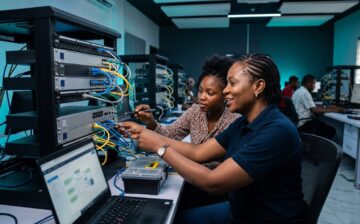
Build, configure and troubleshoot real networks with hands-on labs. Prepare for the Cisco CCST Networking certification and build your foundation for the CCNA.
Course Overview
This course takes you from zero networking knowledge to confidently supporting a real organizational network. You'll learn how data moves, how devices are addressed and connected, and how to configure, maintain and troubleshoot switches, routers and core network services, practicing every step in simulated labs.

Starts October 31st
Duration: 10 weeks
Learning Outcomes
- Explain how networks work using the OSI and TCP/IP models, and identify the role of every common network device.
- Design IPv4 addressing schemes with subnetting, and understand IPv6 fundamentals.
- Configure switches and routers, including VLANs, static routing, default gateways and an introduction to OSPF.
- Deploy and support core services such as DNS, DHCP and HTTP/HTTPS.
- Troubleshoot connectivity problems with a structured method and standard tools, and document your lab work as a portfolio.
- Sit the Cisco CCST Networking exam with confidence, with a head start on CCNA topics such as VLANs, OSPF, NAT and access control lists.
Career Opportunities
Every organization with an office, a server or a cloud account needs people who understand its network. This course prepares you for entry-level roles across IT infrastructure.
Career Pathways
What You Will Learn
From your first cable to troubleshooting a full network, in 10 practical modules: one each week.
01 Networking Foundations▼
- What a network is and how it works
- Network types: LANs and WANs
- Data transmission
- Bandwidth and throughput
- Setting up Cisco Packet Tracer
02 Network Components, Media and Endpoints▼
- Clients, servers and network devices
- Internet connection options
- Copper, fibre and wireless media
- Endpoint network settings
- Lab: your first Packet Tracer network
03 Network Models and Protocols▼
- Protocols and standards
- The OSI and TCP/IP models
- Encapsulation and decapsulation
- TCP, UDP and port numbers
- Lab: watch encapsulation in action
04 IPv4 Addressing and Subnetting▼
- IPv4 address structure and subnet masks
- Public, private and special addresses
- Subnetting step by step
- Planning an office network
- Lab: address a small office network
05 IPv6, DHCP and DNS▼
- Why IPv6 and how it is written
- IPv6 address types, SLAAC and DHCPv6
- Neighbor Discovery
- DHCPv4 and DNS services
- Lab: DHCP and DNS in Packet Tracer
06 Switching and VLANs▼
- Ethernet frames, MAC tables and ARP
- The Cisco IOS command line
- Switch configuration and security
- VLANs, trunks and Spanning Tree
- Lab: VLANs and trunking
07 Routing▼
- How hosts and routers make routing decisions
- Router setup and static routes
- OSPF and first-hop redundancy
- ICMP, ping and traceroute
- Lab: static routing and OSPF
08 Wireless and Network Security▼
- Wi-Fi and secure router setup
- Threats, attacks and access control
- Firewalls, ACLs, NAT and PAT
- Port security and WPA3
- Lab: secure a small office network
09 Troubleshooting and Network Operations▼
- Network design, cloud and virtualisation
- Documentation and help-desk support
- Structured troubleshooting and Wireshark
- Monitoring and automation
- Lab: fix a broken network
10 Capstone Project and Certification Plan▼
- Capstone brief, design and addressing
- Build, secure and test a full network
- Troubleshooting challenge
- Portfolio and CV
- Your CCST and CCNA exam plan
Course Fees
Frequently Asked Questions
I don't have a tech background.▼
I can't afford the full fee at once.▼
I don't have much time.▼
Will this help me get a job?▼
Is this an official Cisco course?▼
Need Help?
Questions about the course, payment or scholarships? We're happy to help.
Phone: +234 (0) 809 999 4624
Email: [email protected]

Want to submit a review? Login and enrolled
This course includes
10 weeks, starting October 31st
10 modules, 86 lessons and 8 hands-on labs
Self-paced lessons plus live weekend classes on Google Meet
Hands-on Packet Tracer labs configuring switches and routers
WhatsApp study group for questions and group work
Prepares you for the Cisco CCST Networking exam
Verifiable certificate on completion